Pallet Rack Capacity Chart Verification for DFW Warehouses
September 14, 2026
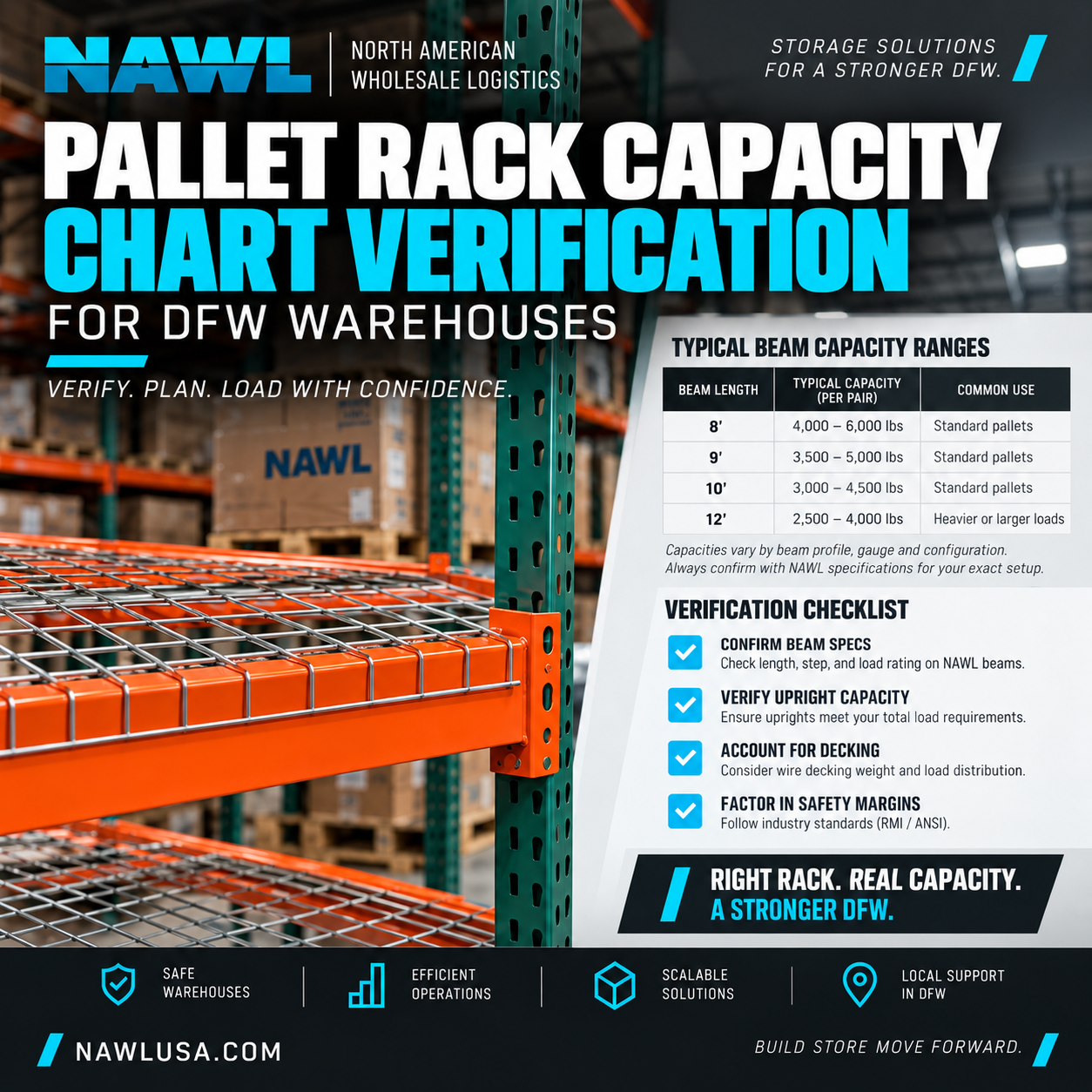
Every warehouse manager knows that maximizing storage space is key to efficiency and profitability. But maximizing space must never come at the expense of safety. One of the most fundamental aspects of a safe and compliant warehouse operation is understanding and verifying your pallet rack system's stated load capacity. This isn't just good practice; it's a non-negotiable requirement.
Pallet rack capacity charts, often referred to as load plaques, are the authoritative source for your system's limits. However, simply having them isn't enough. You need to know how to read them, what they mean, and critically, how to verify that the information presented accurately reflects the rack system currently installed in your facility, whether you're in the DFW Metroplex or anywhere else.
The Critical Role of the Load Plaque
Every professionally engineered and installed pallet rack system should have readily visible load plaques or capacity charts. These aren't decorative; they are legal and safety documents. OSHA and ANSI/RMI standards require that rack systems be clearly marked with their rated capacities. These plaques are typically affixed to uprights or beams in prominent locations throughout the warehouse.
A standard load plaque will typically include:
- Manufacturer Name: Identifies the company that produced the racking.
- Model/Series Number: Specific product line identification.
- Column Capacity (or Upright Capacity): The maximum weight that a single upright frame can support. This is usually listed per frame, and often for a specified maximum beam spacing, as capacity changes with unsupported beam length.
- Beam Capacity: The maximum uniformly distributed load (UDL) that a pair of beams can safely support between uprights. This is almost always stated per pair of beams.
- Pallet Capacity: Sometimes included, this indicates the maximum weight per pallet position, derived from the beam capacity.
- Installation Date: When the system was originally installed.
- Design Standards: References the industry standards (e.g., RMI) to which the rack was designed.
- Warnings and Cautions: General safety information regarding proper loading, damage reporting, and modifications.
Understanding these components is your first step. For a deeper dive into how these capacities are engineered in the first place, refer to our foundational post on how much weight a pallet rack holds.
How to Perform Pallet Rack Capacity Chart Verification
Having a load plaque is one thing; ensuring it matches your physical system is another. This is where diligent pallet rack capacity chart verification comes into play. A mismatched chart is as dangerous as a missing one, as it can lead to gross overloading.
Here's a step-by-step process:
Step 1: Physical Inspection and Measurement
Go to your rack system with a tape measure and a notepad. Compare the plaque's stated dimensions and components with the actual rack.
- Upright Dimensions: Measure the depth and width of the upright frames. Pay close attention to the gauge (thickness) of the steel, if visible or measurable. Check the number of columns and the bracing pattern.
- Beam Dimensions: Measure the length of the beams (clear span between uprights) and the height of the beam face. Note the beam's profile (e.g., step beam, box beam) and any visible ribbing or internal construction.
- Connections: Observe the type of beam-to-frame connection (e.g., teardrop, keystone, bolt-on). Different connection types can have different load characteristics.
Step 2: Component Identification
Look for manufacturer logos, stamps, or identifying marks on the uprights and beams themselves. While a plaque states the manufacturer, individual components often have markings that can be cross-referenced with your rack's documentation or even the manufacturer's product catalogs.
Step 3: Cross-Reference with Documentation
Ideally, your warehouse should have the original design drawings, engineering calculations, and purchase orders for your rack system. Compare the load plaque information directly against these documents. This is the most definitive form of verification. If you don't have these documents, it's a significant red flag.
Step 4: Account for Modifications
Has the rack system been altered since its original installation? Adding or removing beams, changing beam levels, or replacing damaged components with parts from a different manufacturer can drastically change the original load capacity. If modifications have occurred without re-engineering and updated plaques, the existing plaques are likely invalid.
Step 5: Consider Environment and Damage
The stated capacities assume ideal conditions. Factors like rust, impact damage to uprights or beams, out-of-plumb racks, or exposure to extreme temperatures can degrade the actual capacity of your system. Even if your plaque is accurate for an undamaged system, you must account for real-world wear and tear. Regular rack inspections are paramount for maintaining safety.
Red Flags and What to Do
Be vigilant for these signs that your pallet rack capacity chart verification might reveal a problem:
- Missing Plaques: Any section of rack without a clearly displayed load plaque is a compliance violation and a major safety concern. You cannot safely load a rack if you don't know its limits.
- Illegible Plaques: Faded, scratched, or painted-over plaques are useless. If you can't read a plaque, it's as good as missing.
- Mismatched Components: The plaque indicates Manufacturer A, but your beams are stamped with Manufacturer B. Or the plaque states 42" deep frames, but your frames measure 48". This is a critical discrepancy.
- No Supporting Documentation: If you cannot find any original engineering drawings or purchase records to corroborate the plaque, you have an information gap that needs to be filled.
- Evidence of Unapproved Modifications: Welds, non-standard fasteners, or components that don't match the rest of the system are strong indicators that the rack's integrity and original capacity may be compromised.
If you encounter any of these red flags, cease loading operations in the affected area immediately. Consult with a qualified rack professional or engineer. They can assess the system, potentially re-engineer it, and provide accurate, updated load plaques for your DFW facility.
Prioritizing Safety in Your Warehouse
Diligent pallet rack capacity chart verification is a cornerstone of warehouse safety. It's not just about meeting regulations; it's about protecting your people, your products, and your investment. At NAWL, we understand the critical importance of accurate information and reliable racking. Whether you're upgrading an existing system or planning a new installation, ensuring that your capacity documentation is accurate and verifiable is a priority.
Need to assess your current racking or explore new, compliant solutions? NAWL offers quick-ship components and expert guidance. Contact us to discuss your requirements and ensure your warehouse operates safely and efficiently. <a href="/resources" target="_blank">Explore our resources</a> for more insights on warehouse safety and optimization.
Ready to Optimize Your Warehouse?
Don't leave pallet rack capacity to chance. For peace of mind and robust solutions for your DFW warehouse, reach out to NAWL. Request a quote today and let our experts help you build a safer, more efficient storage environment.